Skip to content
homesdesignai
For listings and rentals

Virtual Staging AI That Furnishes Empty Rooms From One Photo

Upload a photo of an empty room and get it back furnished in a style that fits the property. Built for agents, sellers, landlords and short-term rental hosts who want listing photos that help people picture living there.

Your photos stay private to your account.

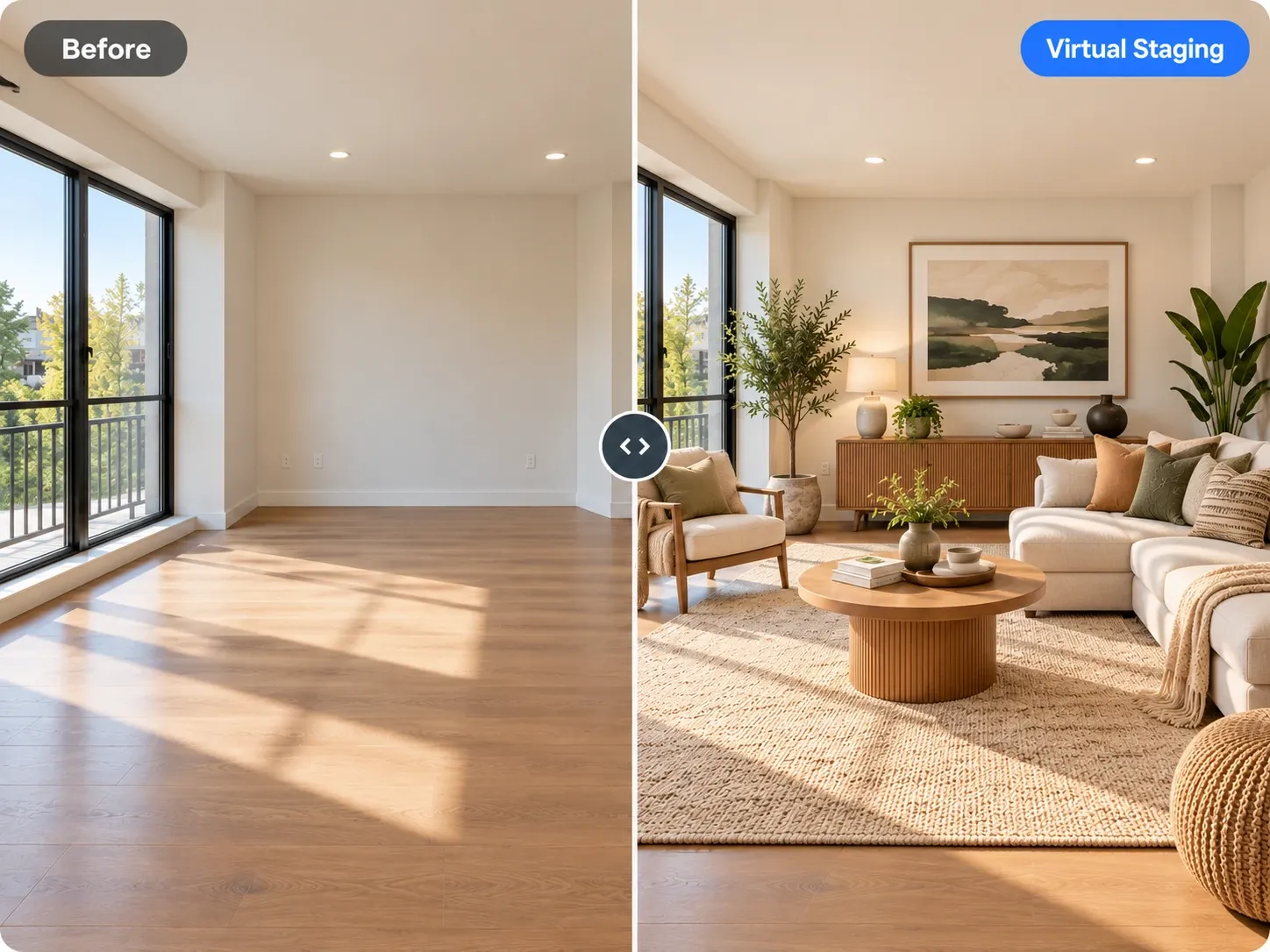
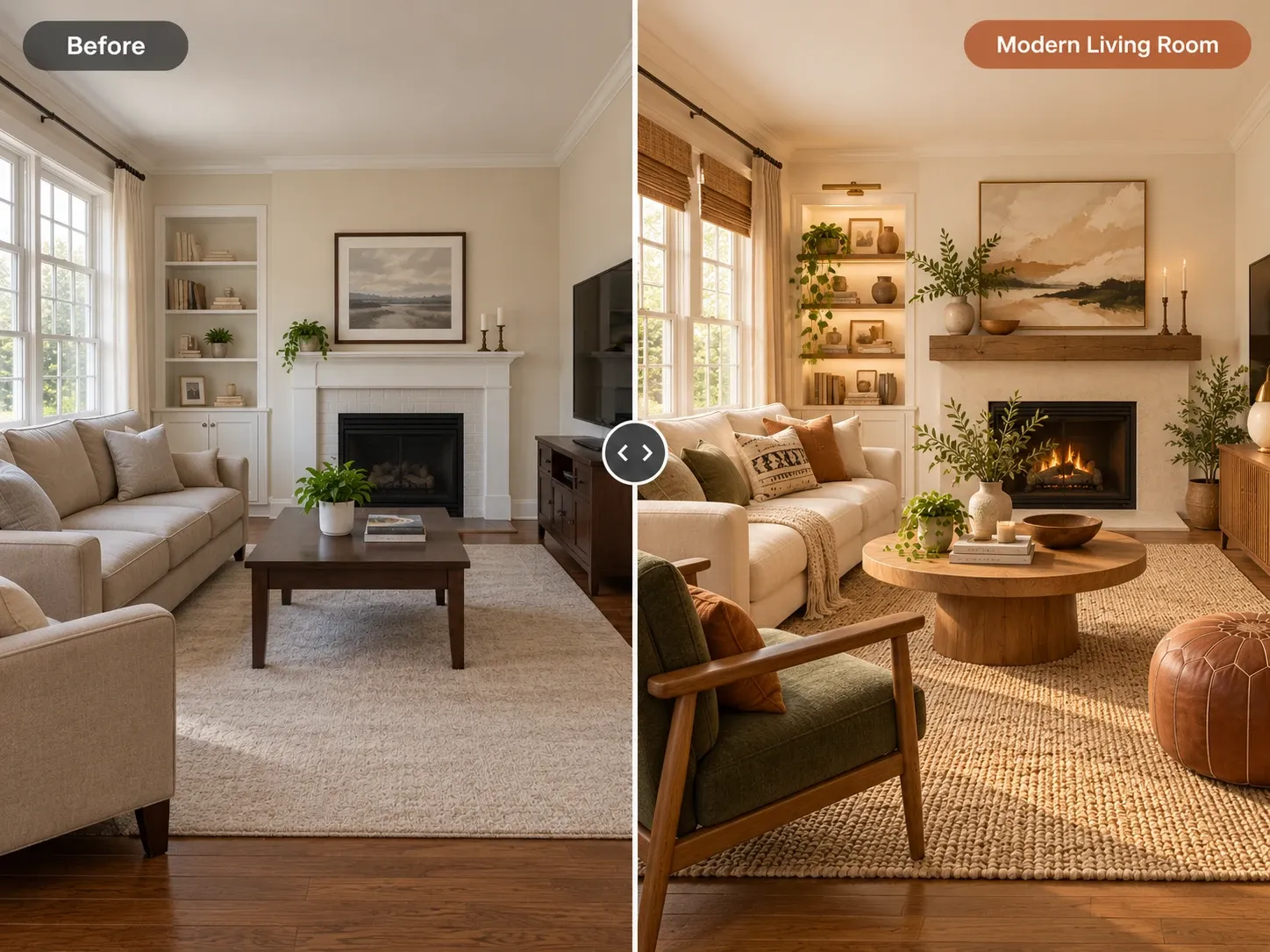
Before and after: empty room with floor-to-ceiling windows virtually staged as a warm, furnished living room

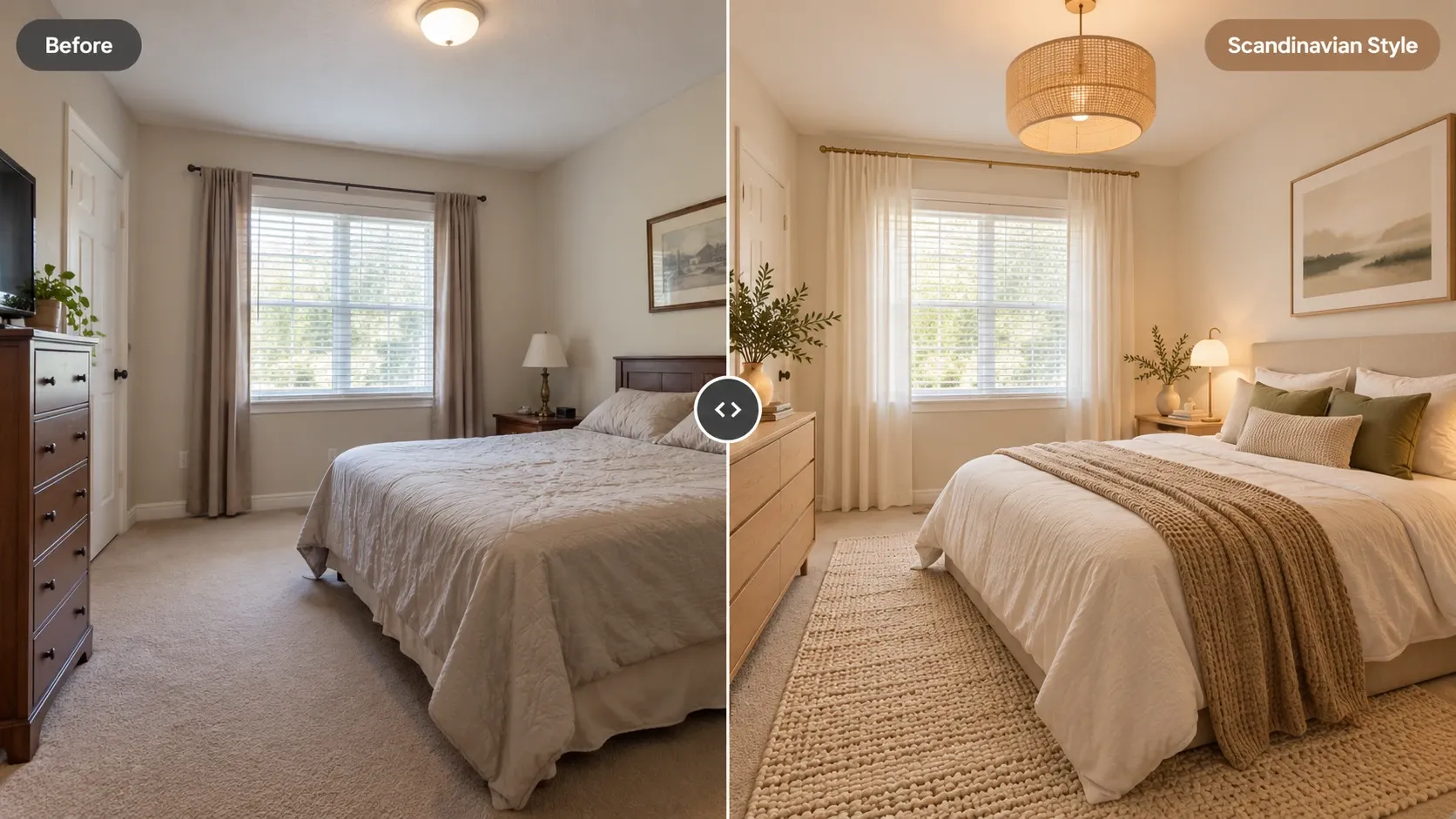
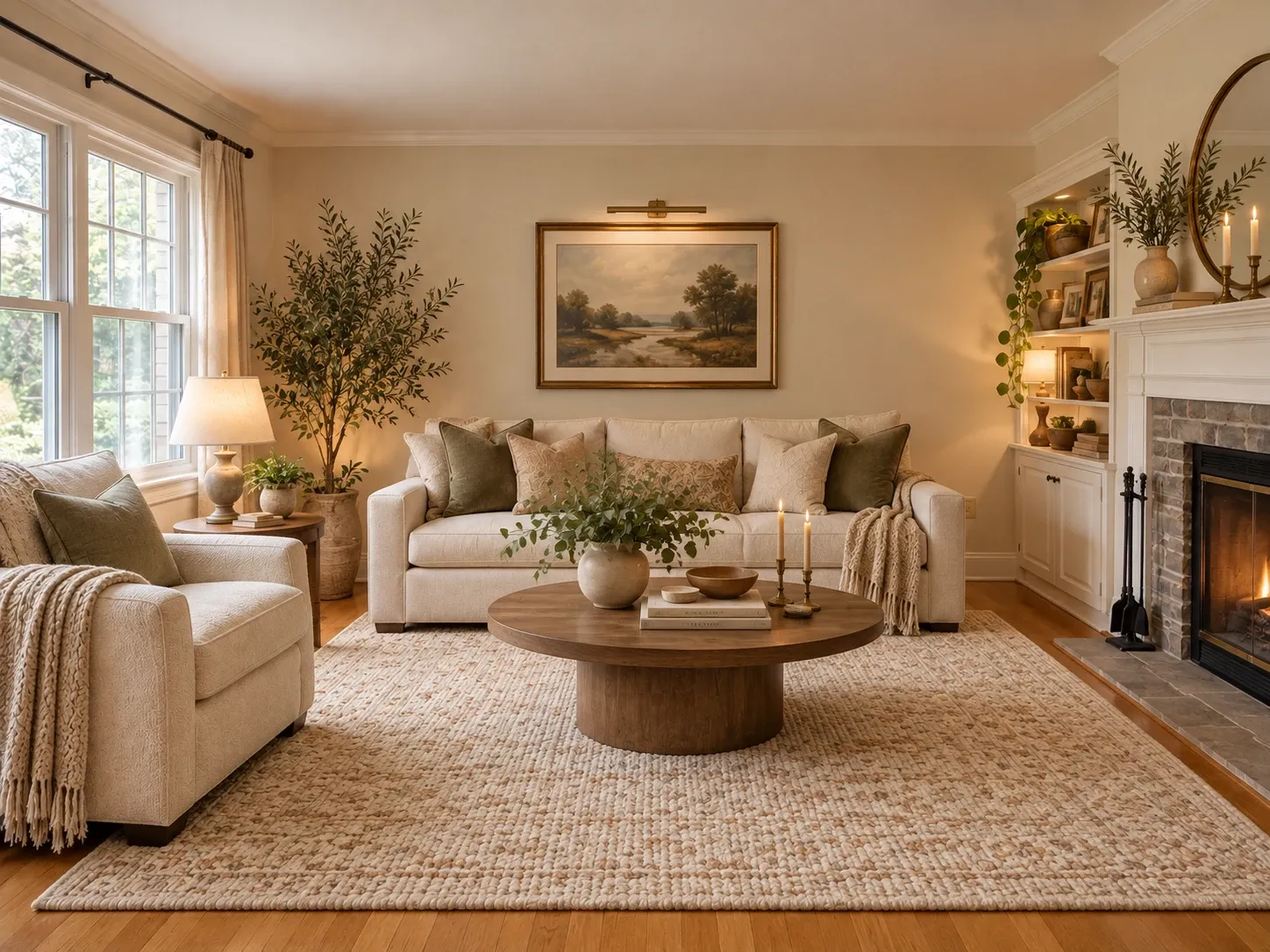
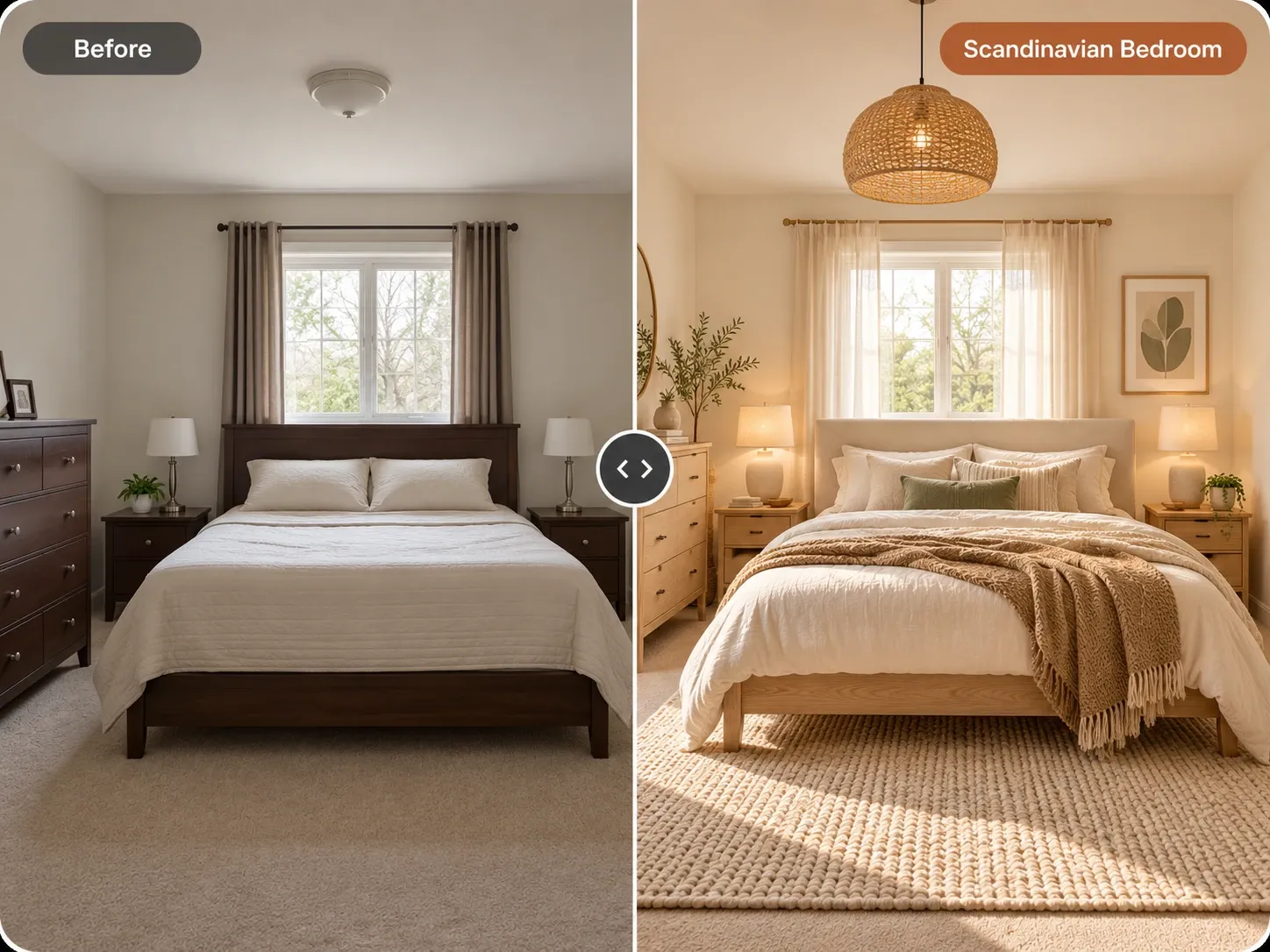
Virtual Staging AI examples

Inspiration in different styles to guide your own design.

Popular styles for this space

View all styles

What you can do with Virtual Staging AI

How it works

Three steps from photo to finished concept.

  1. 1

    Upload the empty room

    Use a bright, level photo of the vacant room, ideally the same shot you plan to publish. Wide listing photos taken from a corner work well.

  2. 2

    Pick the room type and style

    Choose living room, bedroom or another room, then a style. Add notes such as 'neutral sofa facing the fireplace, nothing blocking the window'.

  3. 3

    Generate, review and label

    Compare the staged versions, check that nothing structural changed, then download your favorite and mark it as virtually staged in the listing.

Virtual Staging AI guide

How AI virtual staging works

The model studies the empty room first: the floor plane, wall corners, window openings and the camera's viewpoint. It then adds furniture, rugs, art, lamps and plants inside that geometry, choosing pieces that suit the room type and style you picked. Because the room itself is the anchor, a staged image keeps the same proportions and the same view through the window as the original photo.

Results are strongest in rooms with clear corners and good light. Extreme wide-angle shots, dim rooms or photos full of boxes and tools are harder, since the model has to guess what is floor and what is clutter. If a room is partly furnished, you can still upload it and ask the AI to restyle what is there instead of starting from empty.
Disclosure and honest staging

Virtually staged photos are marketing images, and buyers and renters deserve to know that. Label each staged image as virtually staged, in the caption or on the image itself, and follow your MLS, brokerage and local rules, which may set specific requirements. Many agents also place the empty original next to the staged version so viewers can see the actual room.

Staging should add furniture and decor, never change the property. Do not use it to hide water stains, cracks, damaged flooring or an unflattering view, and do not alter walls, windows, ceiling height or outdoor scenery. If a generated image changes a permanent feature, regenerate it or discard it. Honest staging helps people picture the space, while misleading staging creates problems at the showing.

  • Label every staged photo as virtually staged
  • Show the empty original alongside the staged version
  • Never cover defects such as stains, cracks or damage
  • Keep walls, windows, flooring and views unchanged
  • Check your MLS and brokerage rules before publishing

Who uses virtual staging and how

Listing agents stage the rooms that photograph worst when empty, usually the living room, primary bedroom and any awkward bonus room, so buyers understand how each space can be used. Sellers who have already moved out use it to avoid a listing that looks cold online. Landlords stage vacant units between tenants to suggest how a small bedroom could hold a bed and a desk.

Short-term rental hosts often use staging to test a furnishing plan before buying anything. Generate a few styles for an empty unit, see which one feels right for the guests you want to attract, then shop for real pieces. For rooms that are already furnished, the AI furniture placement tool helps you try new arrangements of what you own.

Getting listing-quality results

Start from a professional-quality photo with straight verticals, lights on, blinds open and the room fully cleared. The staged version can only be as sharp and true as the original. Use one style across the whole listing so the rooms feel connected, and favor a neutral palette with a single accent color, which keeps the photos from looking dated.

Review every staged image at full size before it goes live. Look for furniture blocking doors or vents, rugs that run under walls, odd reflections in windows and items that look out of scale. If something feels off, regenerate. Keep a simple folder with the original and staged version of each room so you can answer buyer questions quickly.

Frequently asked questions

Do I need to disclose virtually staged photos?

Yes, you should. Label virtually staged images clearly in the listing and check your MLS, brokerage and local regulations, which may have specific rules. Showing the empty original alongside the staged photo is a simple way to stay transparent and avoid surprises when people visit in person.

How much does AI virtual staging cost?

You can start free once you create an account. Paid plans include a monthly allowance of credits, which suits agents and landlords who stage several rooms or listings each month. Each generation uses credits, and current plan details are on the pricing page.

Can I use the staged images in my real estate listings?

Yes, you can use your generated images for personal and commercial projects such as listings and client presentations. Just label them as virtually staged, keep the property's permanent features accurate and follow the rules of the platforms where you publish.

What kind of photo works best for virtual staging?

A bright, level photo of a fully empty room works best, with lights on, blinds open and the floor and corners visible. Horizontal shots from a doorway or corner, taken at about chest height, give the AI the clearest read of the room's layout and scale.

Will the AI change the walls, windows or view?

It is designed to keep the room's structure, including walls, windows and perspective, and add furniture inside it. Still, review every result. If anything permanent looks different, such as a window shape or the outdoor view, regenerate the image and do not publish the altered version.

Are my listing photos private?

Yes, your uploads are private to your account; we don't publish them. You decide which staged images to download and where to use them. The tool runs in a desktop or mobile browser, so you can stage photos from the office or while still at the property.

Try Virtual Staging AI on your own photo

Upload a photo, pick a style and compare redesigns side by side.

Related AI tools

View all tools

Ideas to try

More ideas